Windows Forensics
Reported Summary:
"Our client has a newly hired employee who saw a suspicious-looking janitor exiting his office as he was about to return from lunch.
I want you to investigate if there was user activity while the user was away between 12:05 PM to 12:45 PM on the 19th of November 2022. If there are, figure out what files were accessed and exfiltrated externally"
Provided disk image and tools:
You'll be accessing a live system, but use the disk image already exported to the C:\Users\THM-RFedora\Desktop\kape-results\C directory for your investigation. The link to the tools that you'll need is in C:\Users\THM-RFedora\Desktop\tools


Following tools will be used for this project included Registry Explorer, Autopsy and JLECmd.
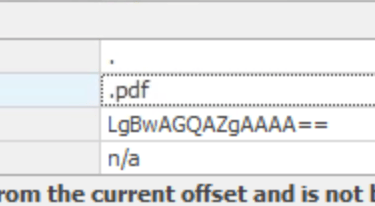
Q1. What file type was searched for using the search bar in Windows Explorer?
Answer: .pdf
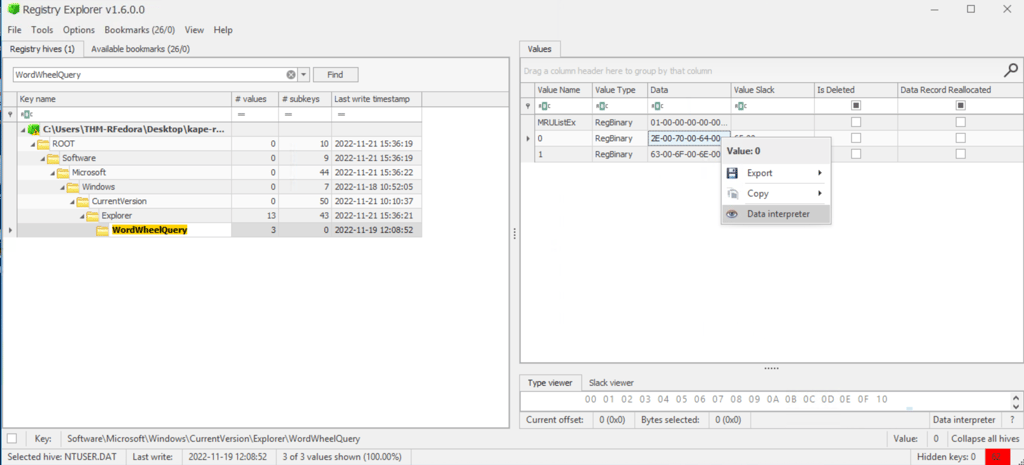
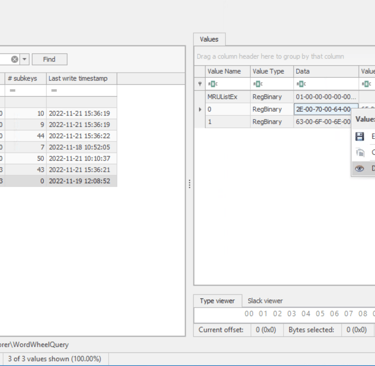
1- Open Registry Explorer
2- Load Hive > Navigate to path: NTUSER.DAT\Software\Microsoft\Windows\CurrentVersion\Explorer\TypedPaths
3- Available bookmarks
4- WordWheelQuery
5- Data interpreter the Data
6- Answer in Strings - Unicode

Window Registry is used to investigating search activity performed by intruder to answer following questions:
Q2. What top-secret keyword was searched for using the search bar in Windows Explorer?
Answer: Continental
Following previous search, answer found inside 1st value.
Q3. What is the name of the downloaded file to the Downloads folder and when was it downloaded?
Answer: 7z2201-x64.exe & 2022-11-19 12:09:19 UTC
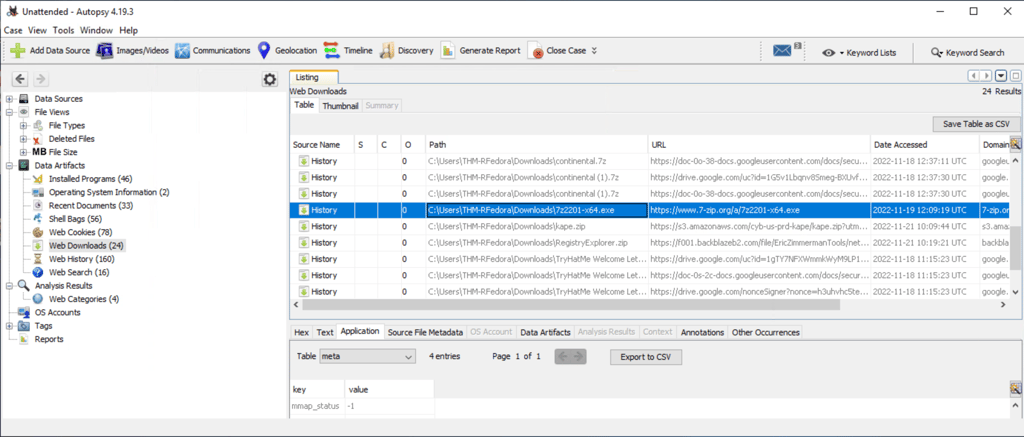
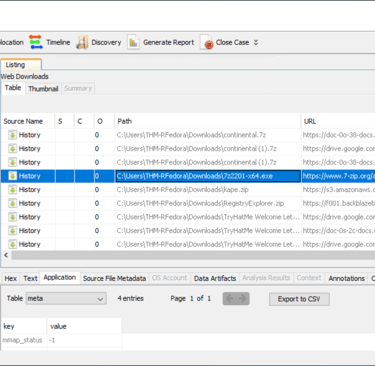
Navigate to Data Artifacts, then Web Downloads.
Autopsy is used to gather information from registry, using Logical File data source created using Kape to answer following questions:
Autopsy is a tool used to investigate web and file system activity.
Q3. From the previously downloaded file, a PNG file was opened. When was this file opened?
Answer: 2022-11-19 12:10:21
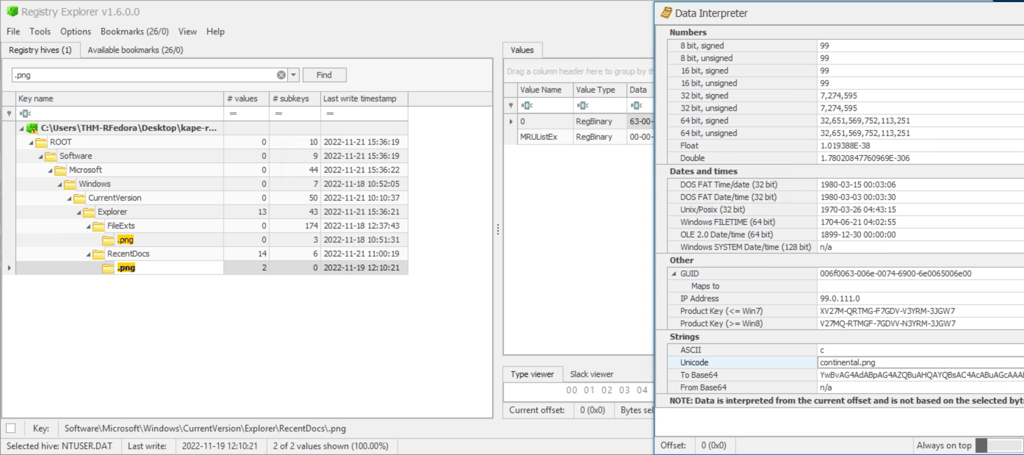
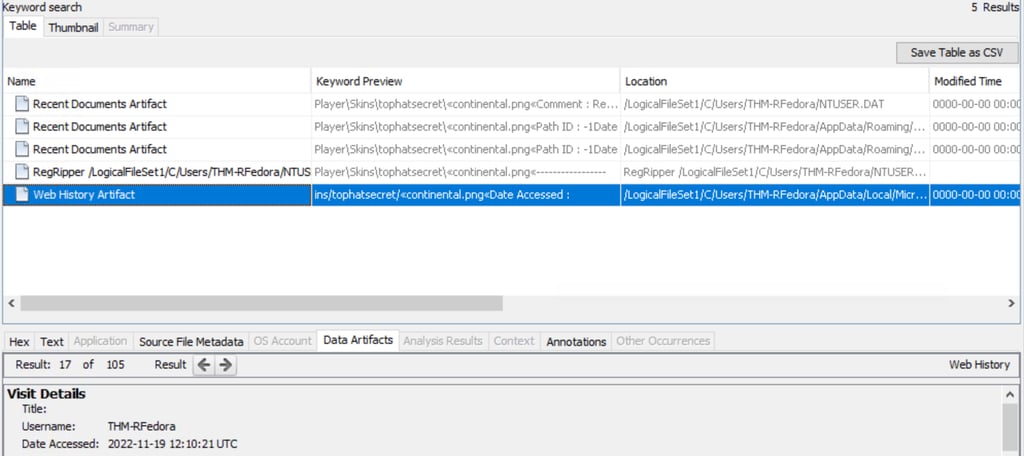
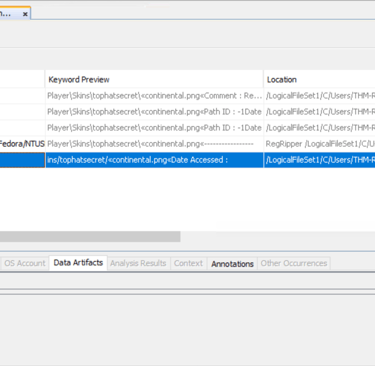
1- Using Registry Explorer to find recent .png file.
2- Software/Microsft/Windows/CurrentVersion/Explorer/RecentDocs/.png.
3- Switch back to Autopsy.
4- Keyword search for continental.png.
5- Data Artifacts > Date Accessed.
Note: Anaswer can also be found just using Registry Explorer - pay attention to Last write timestamp.
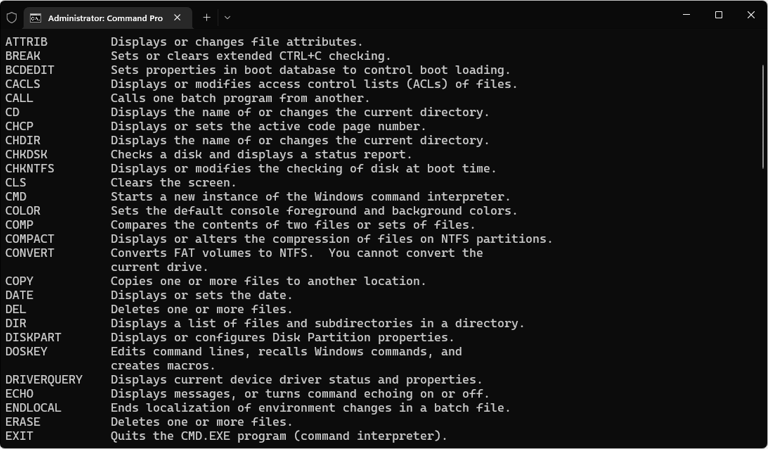
JLECmd is used in Command Prompt (Administrative) to parse files/directories to investigate the Jump Lists to answer following questions:
Jump Lists create a list of the last opened files. This information can be used to identify both the last executed programs and the last opened files in a system.
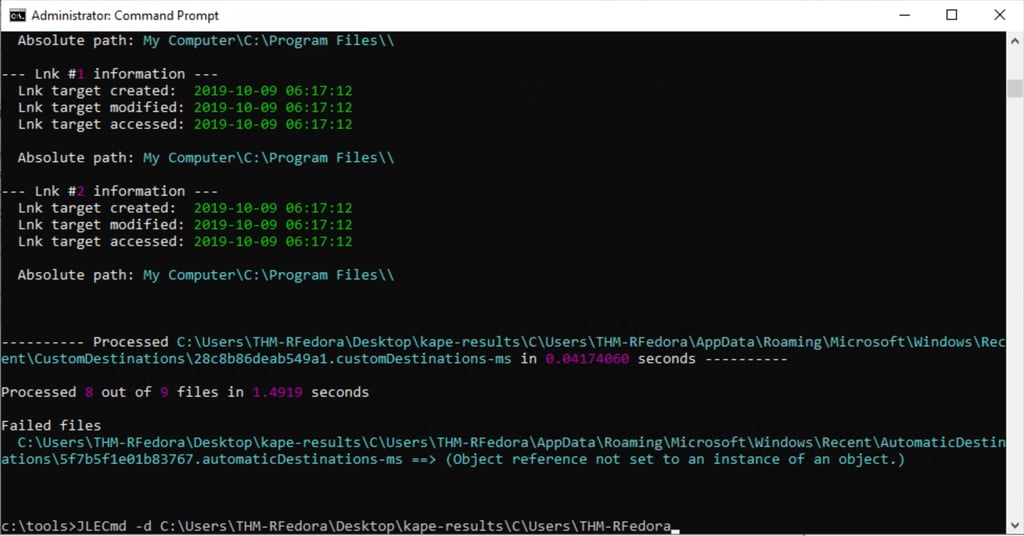
1- Navigate to tools (cd c:/tools)
2- Parse the directory: JLECmd -d C:\Users\THM-RFedora\Desktop\kape-results\ (Mentioned in beginning of task)
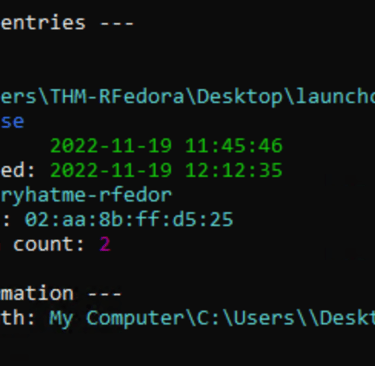
Q4. A text file was created in the Desktop folder. How many times was this file opened and when was the text file from the previous question last modified?
Answer: 2 times - Timestamp: 2022-11-19 12:12:35
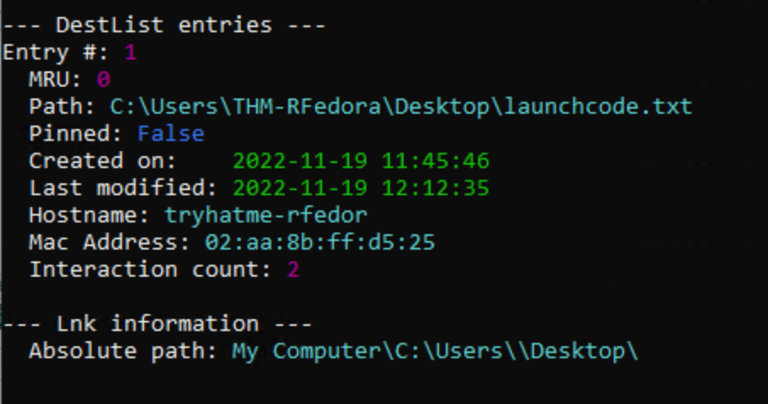
Q5. The contents of the file were exfiltrated to pastebin.com. What is the generated URL of the exfiltrated data?
Answer: https://pastebin.com/1FQASAav
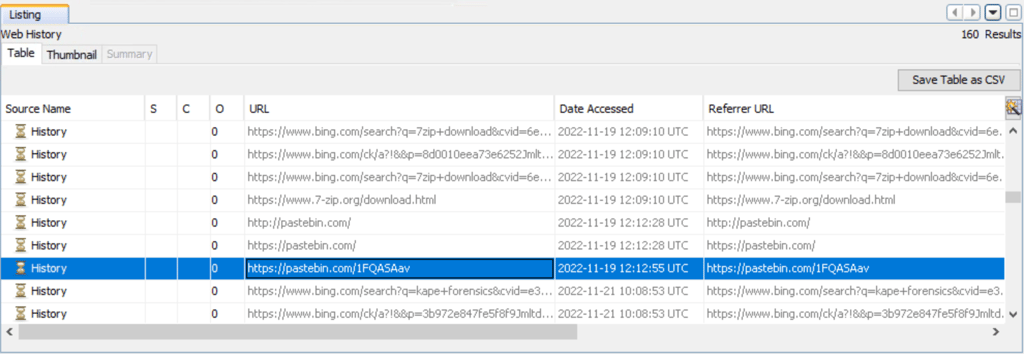
Using Autopsy, navigate to Web History.
Note: Autopsy were used for this question to investigate Web Activities.
Thanks for reading...
Contact
Get in touch
antonhoang.n@gmail.com
© 2025. All rights reserved.